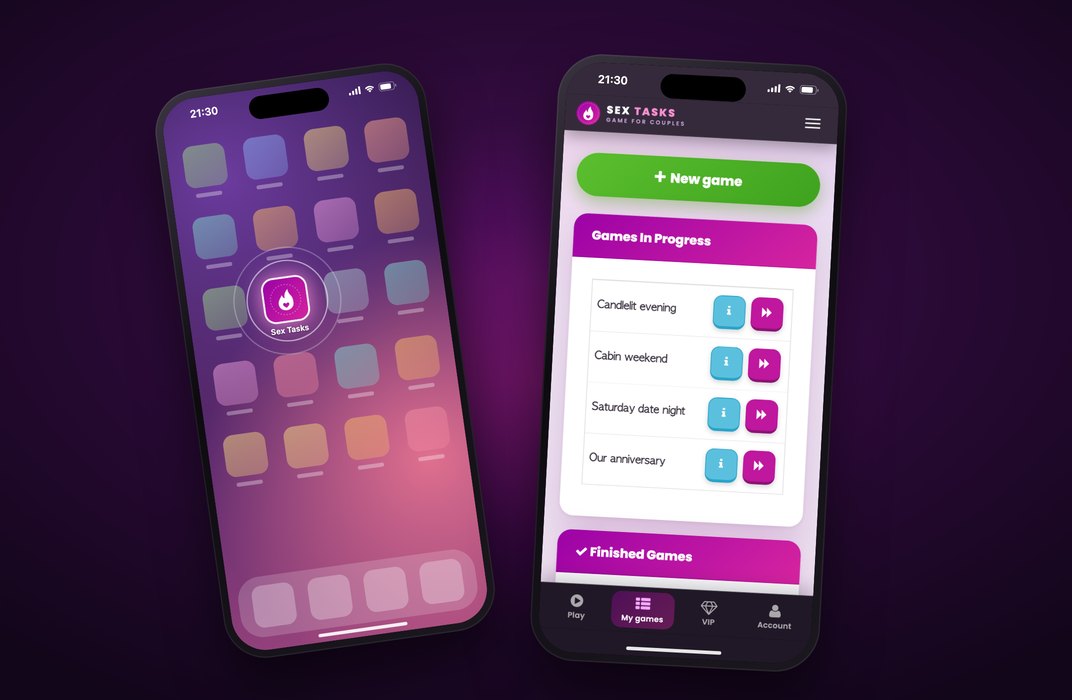
Want your favourite couples game always within reach? Sex Tasks now works as an app on your phone – added straight from the website in about a minute, full screen and one tap away, with no app store involved.
The best moments for a naughty game for couples rarely come with a warning – a lazy evening on the sofa, a weekend away, a night in a hotel room. That's why Sex Tasks is now something you can keep on your phone: a couples game app that sits on your home screen and opens with a single tap.
There's no app store involved and nothing to download. You add it straight from www.sextasks.com in about a minute, on iPhone and Android alike. Below you'll find what the app does, how to set it up step by step, and answers to the questions we hear most.
Why play our sex game app for couples
You can play in any browser, but the app is simply more comfortable. Five reasons to add it:
- One tap and you're in: the icon – our flame-and-heart logo – sits right next to your other apps. No digging through browser tabs.
- Full screen: no address bar, no browser buttons. Just the two of you and the next task.
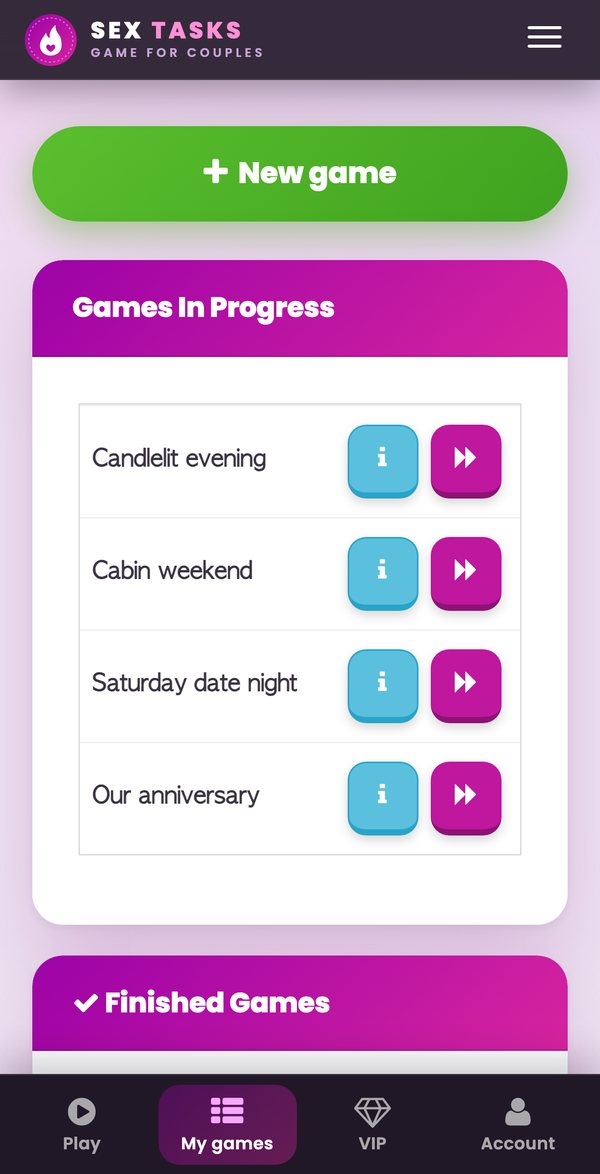
- Everything at your fingertips: a simple bar at the bottom – Play, My games, VIP and Account. Play takes you straight back to your latest unfinished game, or starts a new one.
- Discreet: nothing comes from the App Store or Google Play, so it never shows up in your store history. It takes up almost no space and updates itself.
- Same account: your games, task packages and VIP all come along. You can sign in with Google, too.
A couples game on your phone, focused on what matters
The app is built for one thing: playing and completing tasks. Start a game, choose the players, the task packages and any toys you have at hand, and off you go. Tasks come in three levels – Warm-up, Foreplay and Sex – so the evening builds up naturally, at whatever pace suits you both.
There are 2,100 tasks in English and Czech, and we've recently rewritten more than 1,400 of them so they're clearer and more tempting. Read more in Sex Tasks gets a new look – and better tasks.
The dating section, photos and messages stay on the website, so nothing in the app distracts you from each other.
How to get the sex game app on your phone
Setting it up takes about a minute and you only do it once. The steps depend on whether you have an iPhone or an Android phone – and the game itself will show you a hint, too.
iPhone and iPad (Safari)
- Open www.sextasks.com in Safari and sign in (or sign up for free).
- Tap Share – the square with an arrow. On newer iOS versions it's under the ⋯ button.
- Choose Add to Home Screen (you may need to tap View More first), then tap Add.
- The Sex Tasks icon appears on your home screen. Tap it and play full screen.
Android (Chrome)
- Open www.sextasks.com in Chrome and sign in.
- A “Play it like an app” banner pops up at the bottom of the screen – tap Install.
- No banner? Open the ⋮ menu in the top right, choose Add to Home screen and confirm with Install.
- Done – the game icon is on your home screen, one tap away.
Tip: if the link opened inside another app (your mail app or a social network), switch to Safari (iPhone) or Chrome (Android) first.
A tip for your first night with the app
Not sure where to start? Try this:
- Set the mood: dim the lights, light a few candles and let every other notification wait until morning.
- Pick your toys: when you set up the game, tick what you have at home – the game will then offer tasks that use them, too.
- Start slow: let the task levels lead the way and let the evening unfold. You can pause the game any time and pick it up later – in the app, just tap Play.
A couples app without the app store
Sex Tasks is a web app: you install it straight from the website, which is why you won't find it in the App Store or Google Play – and why you don't need to. For you, that means:
- No downloads, no waiting: a few taps and you're playing.
- Always up to date: the app updates itself, so new features and tasks reach you straight away.
- Privacy: the installation never appears in your app store purchase or download history.
Frequently asked questions
Is the app free?
Yes. Adding the game to your home screen costs nothing and signing up is free. VIP and task packages work in the app exactly as they do on the website.
Do I need to download anything from the App Store or Google Play?
No. You add Sex Tasks to your home screen straight from www.sextasks.com – no app store, no download.
Does it work on both iPhone and Android?
Yes. Use Safari on iPhone and iPad, and Chrome on Android. The steps are in the guide above.
Is it discreet?
The installation doesn't show up in your App Store or Google Play history, and the app runs full screen without an address bar. You can move the icon wherever you like – into a folder, for example.
Do I need a new account?
No. Sign in with the same account you use on the website, or with Google. Your games, packages and VIP are all there.
Where are the dating section, photos and messages?
They stay on www.sextasks.com in your browser. The app is focused on playing and completing tasks.
Try the couples game app tonight
Set it up once and the game is always one tap away. No account yet? Sign up for free and start your first game tonight.